
Overview
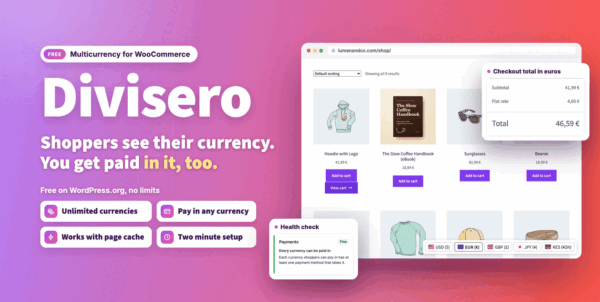
Free multicurrency plugin for WooCommerce: unlimited currencies, checkout in the shopper’s currency, automatic rates and a switcher that works with page caches.
Requirements
- WordPress 6.5 or later
- PHP 7.4 or later
- WooCommerce 8.5 or later
- Required plugins: woocommerce
Installation
Divisero - Multicurrency for WooCommerce Free is free on WordPress.org.
In your WordPress admin, go to Plugins > Add New Plugin.
Search for Divisero - Multicurrency for WooCommerce Free.
Click Install Now, then Activate.
Quick start
- Open Dashboard
Go to
wp-admin/admin.php?page=diviseroin your WordPress admin. - Open Currencies
Go to
wp-admin/admin.php?page=divisero&tab=currenciesin your WordPress admin. - Open Checkout and payments
Go to
wp-admin/admin.php?page=divisero&tab=checkoutin your WordPress admin. - Open Exchange rates
Go to
wp-admin/admin.php?page=divisero&tab=ratesin your WordPress admin.
#Dashboard
Location: wp-admin/admin.php?page=divisero
On this screen:
- Dashboard
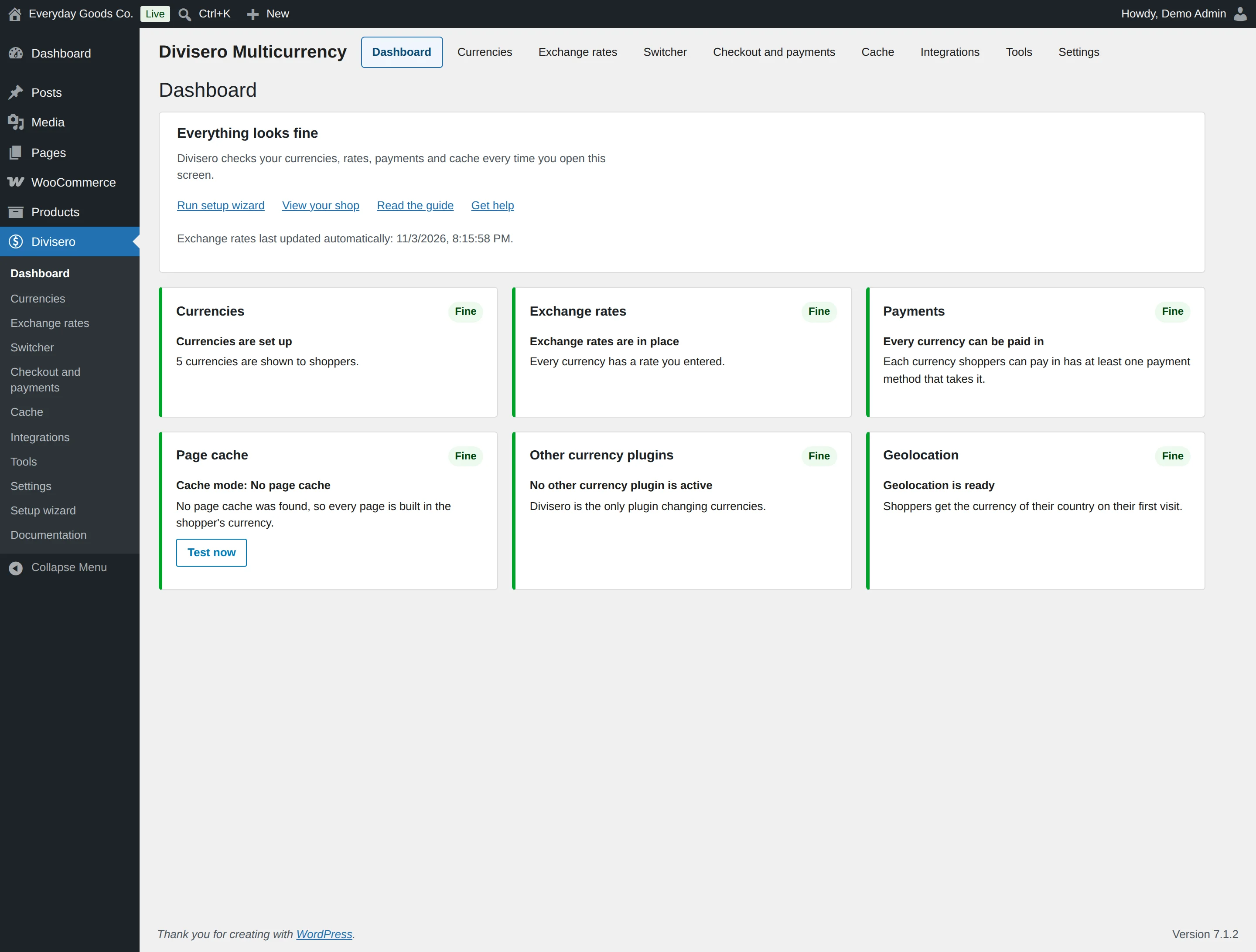
- Everything looks fine
- Currencies
- Exchange rates
- Payments
- Page cache
- Other currency plugins
- Geolocation
#Currencies
Location: wp-admin/admin.php?page=divisero&tab=currencies
On this screen:
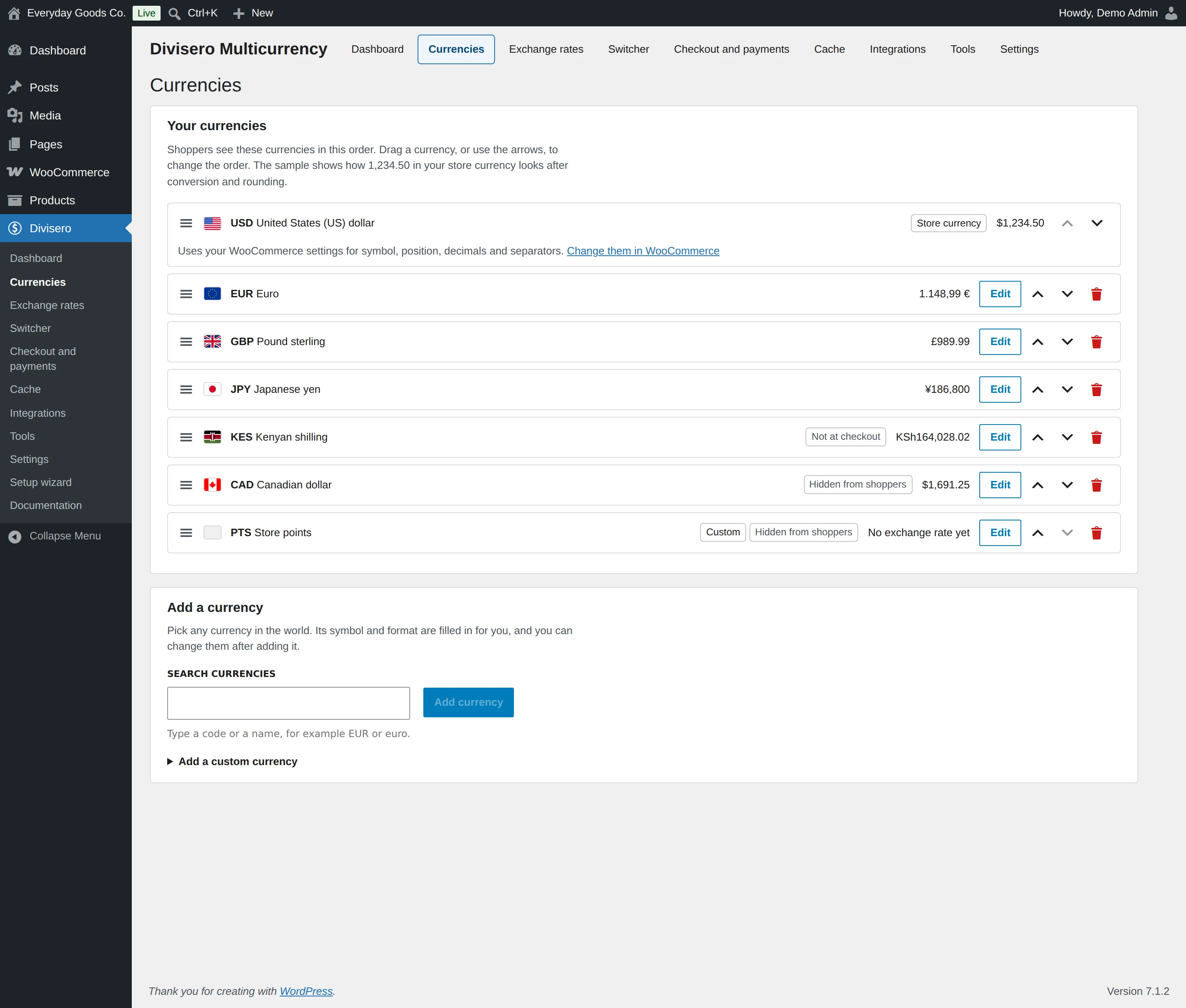
- Currencies
- Your currencies
- Add a currency
#Checkout and payments
Location: wp-admin/admin.php?page=divisero&tab=checkout
On this screen:
- Checkout and payments
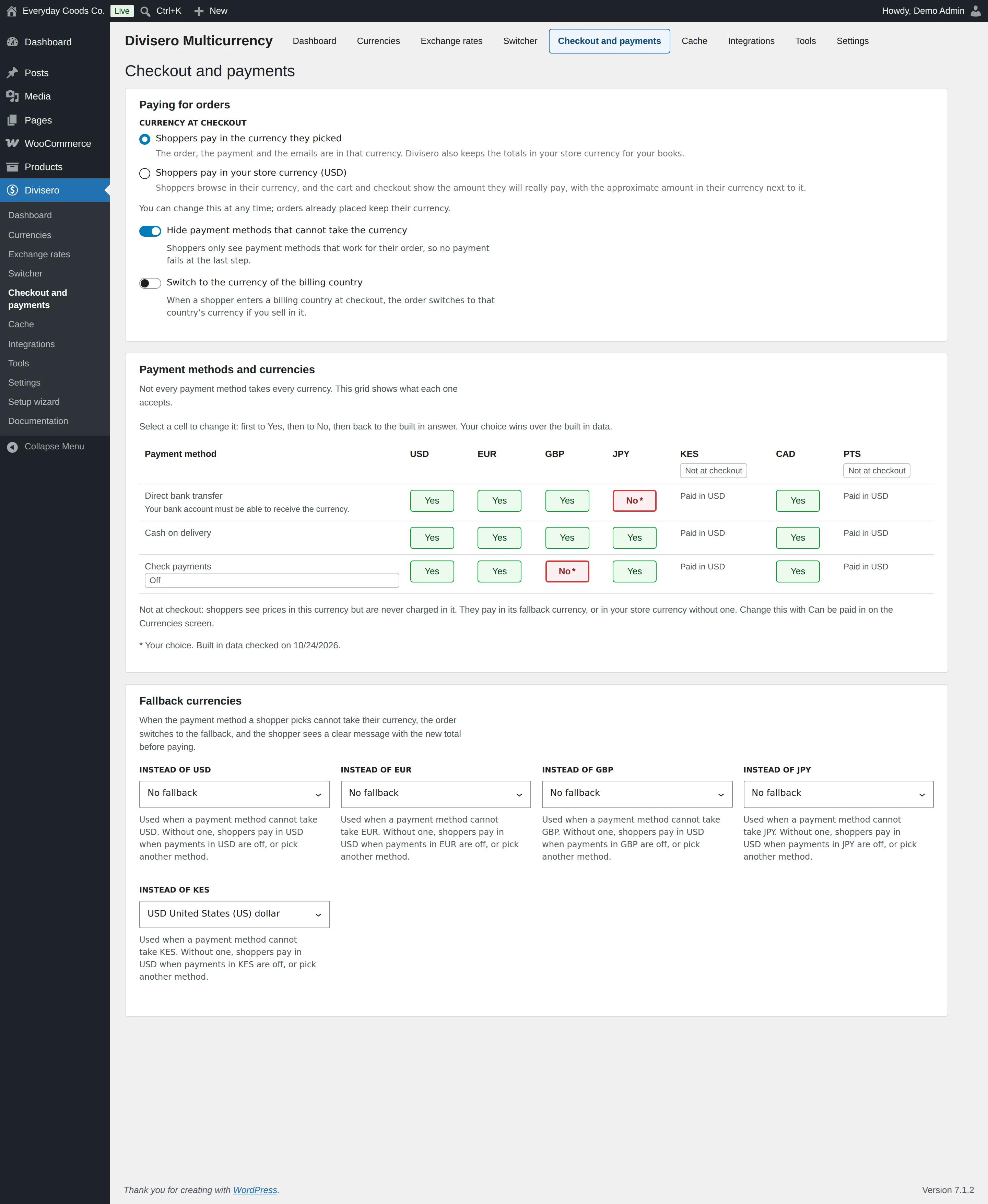
- Paying for orders
- Payment methods and currencies
- Fallback currencies
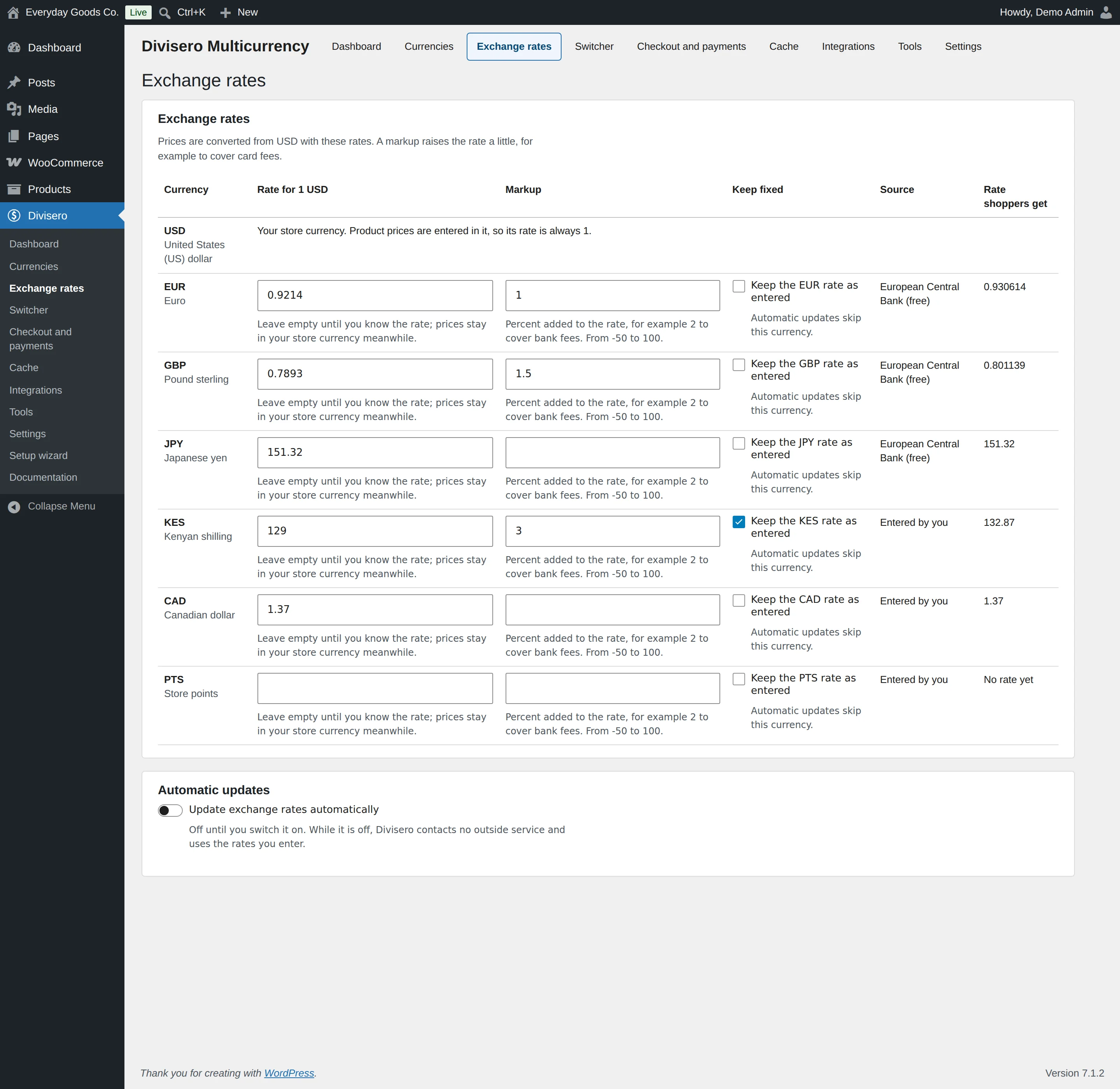
#Exchange rates
Location: wp-admin/admin.php?page=divisero&tab=rates
On this screen:
- Exchange rates
- Automatic updates
#Switcher
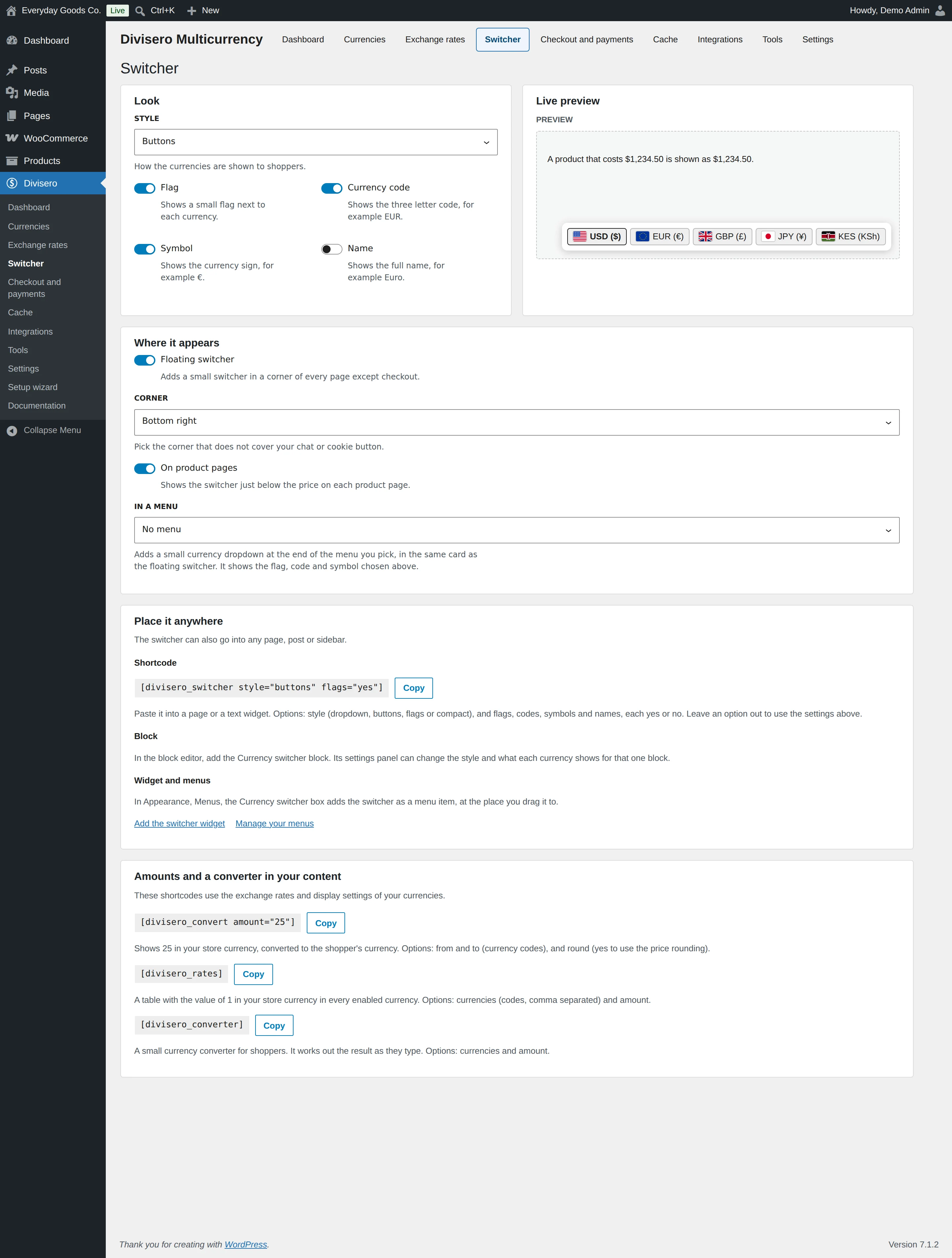
Location: wp-admin/admin.php?page=divisero&tab=switcher
On this screen:
- Switcher
- Look
- Live preview
- Where it appears
- Place it anywhere
- Shortcode
- Block
- Widget and menus
#Cache
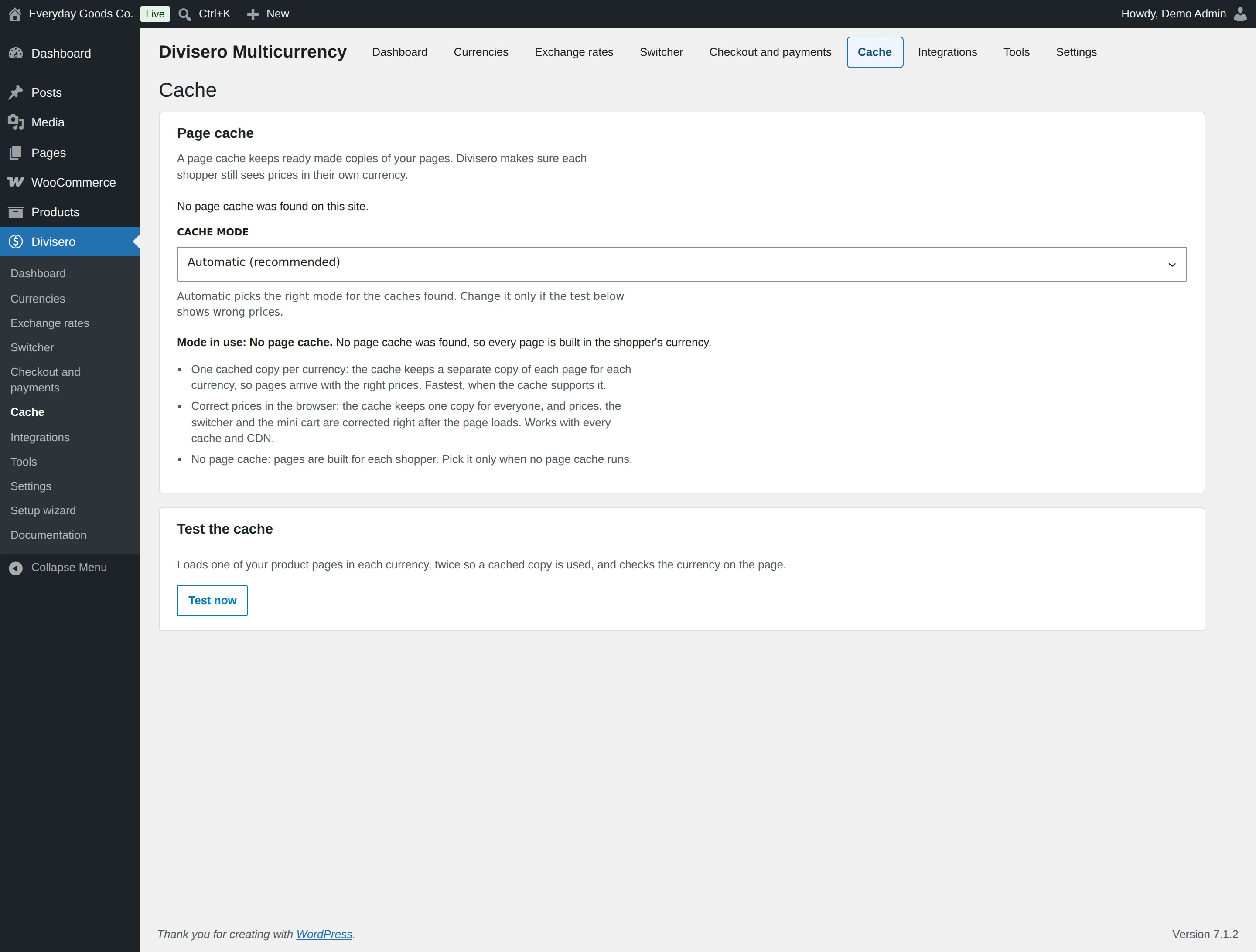
Location: wp-admin/admin.php?page=divisero&tab=cache
On this screen:
- Cache
- Page cache
- Test the cache
#Integrations
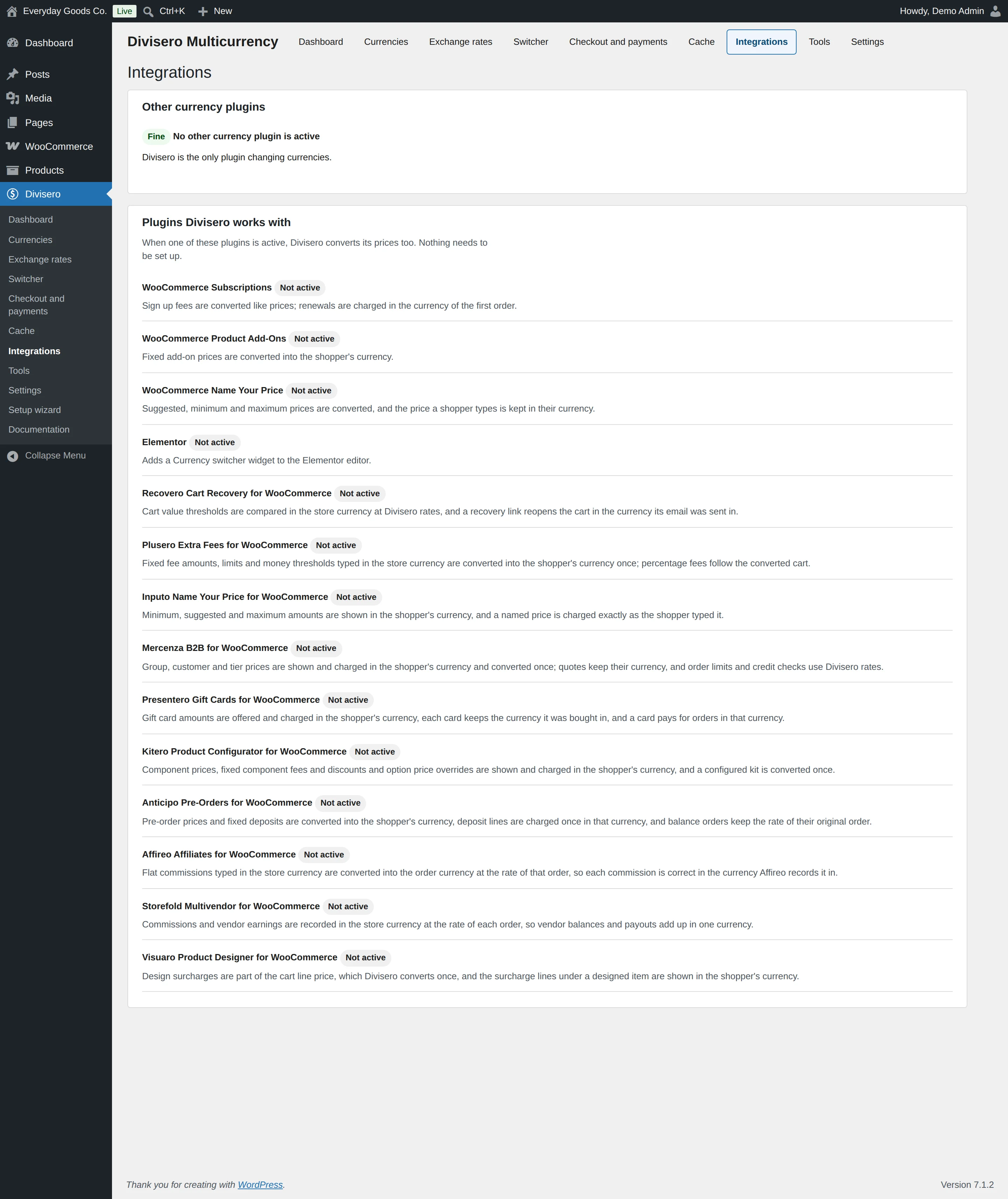
Location: wp-admin/admin.php?page=divisero&tab=integrations
On this screen:
- Integrations
- Other currency plugins
- Plugins Divisero works with
#Tools
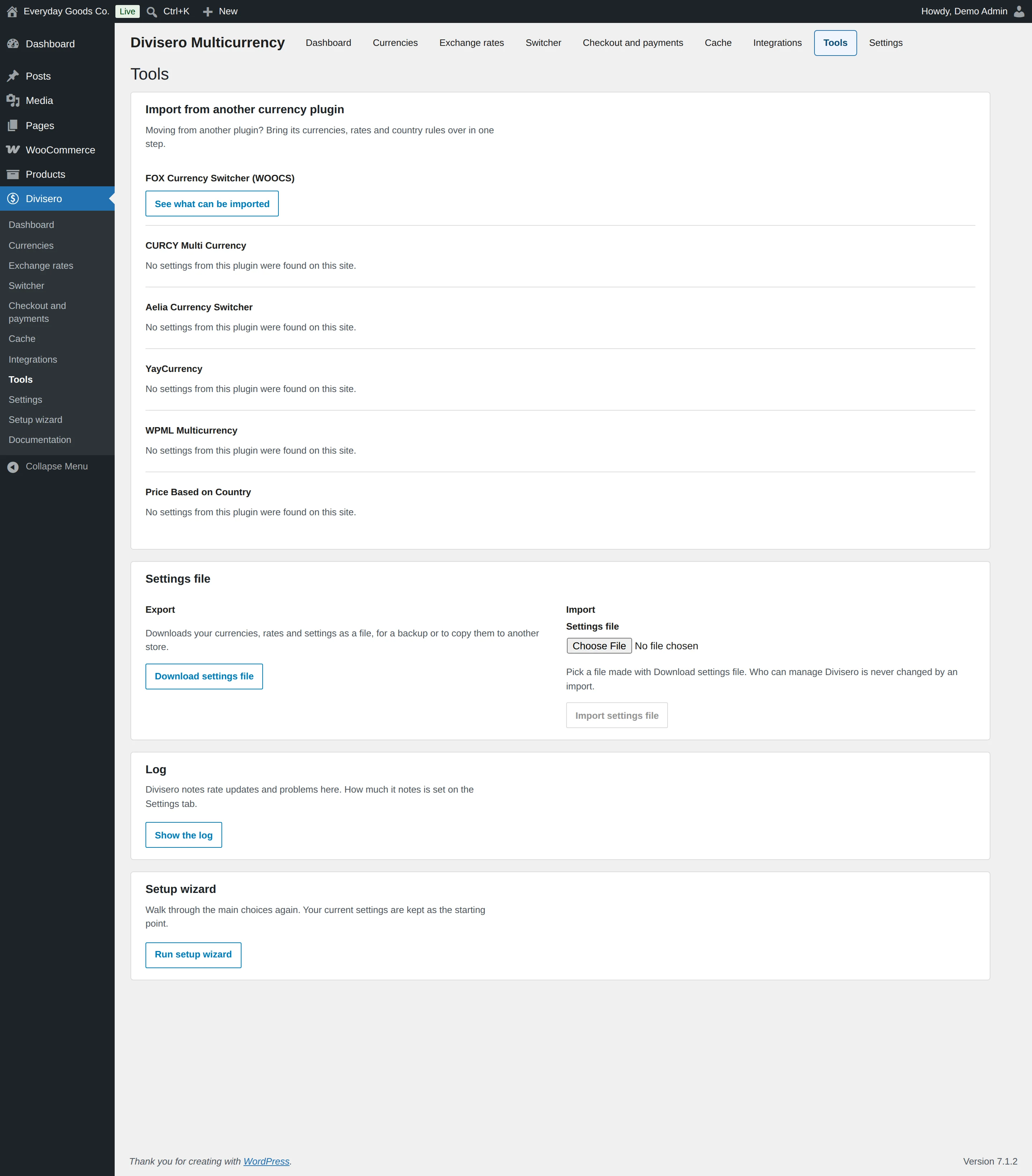
Location: wp-admin/admin.php?page=divisero&tab=tools
On this screen:
- Tools
- Import from another currency plugin
- Settings file
- Export
- Import
- Log
- Setup wizard
#Settings
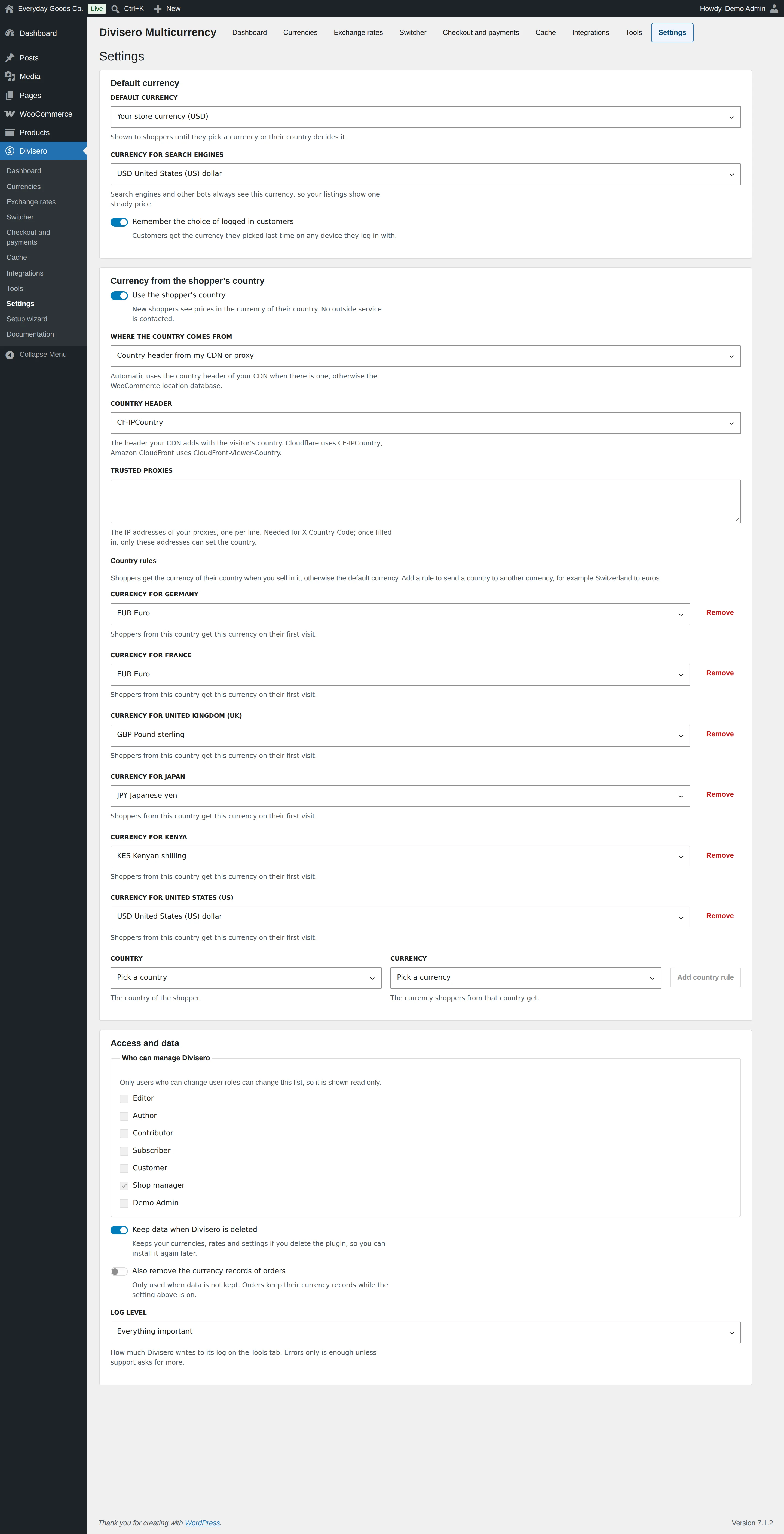
Location: wp-admin/admin.php?page=divisero&tab=settings
On this screen:
- Settings
- Default currency
- Currency from the shopper’s country
- Country rules
- Access and data
#Setup wizard
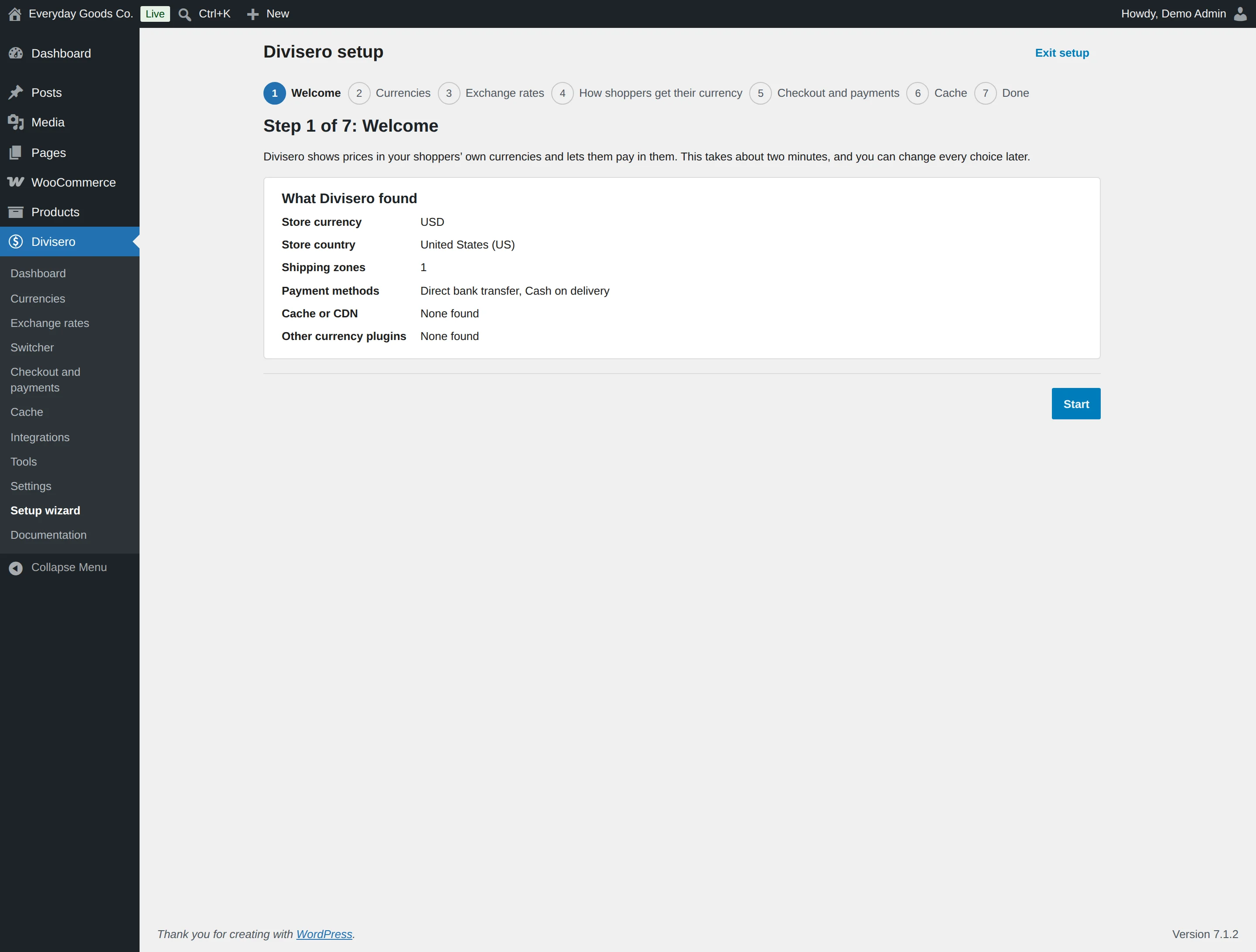
Location: wp-admin/admin.php?page=divisero&view=wizard
On this screen:
- Step 1 of 7: Welcome
- What Divisero found
#Edit order
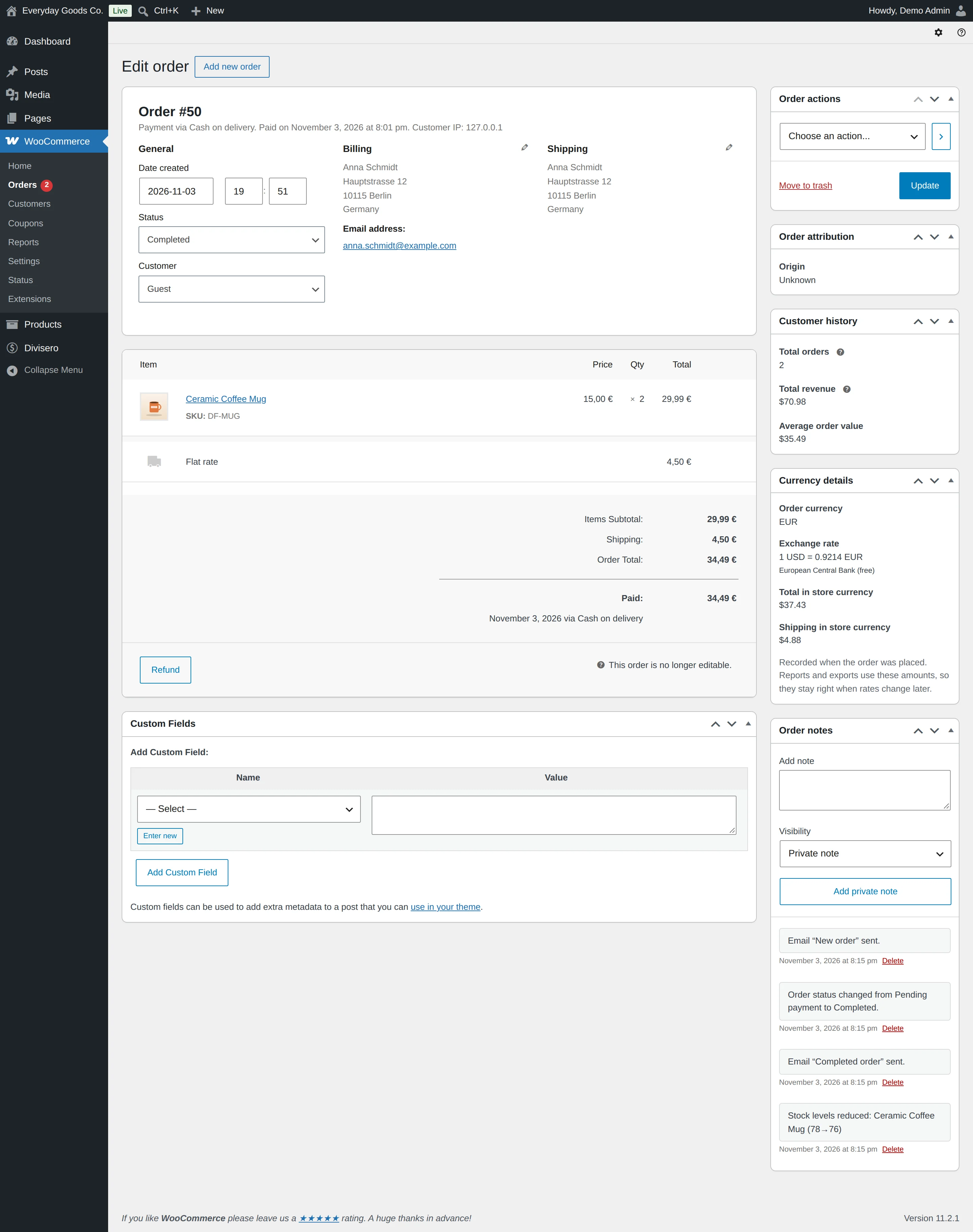
Location: wp-admin/post.php?action=edit&post=50
On this screen:
- Edit order
- Order actions
- Order attribution
- Origin
- Customer history
- Total orders
- Total revenue
- Average order value
#Documentation
Location: wp-admin/admin.php?page=divisero-docs
On this screen:
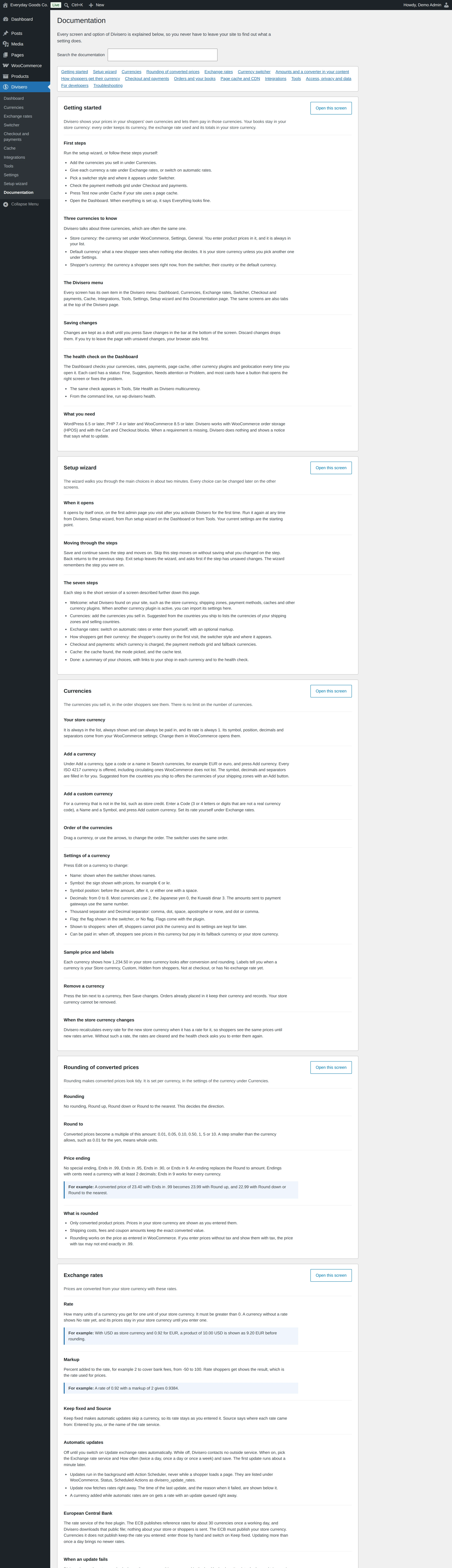
- Documentation
- Getting started
- First steps
- Three currencies to know
- The Divisero menu
- Saving changes
- The health check on the Dashboard
- What you need
Settings reference
Currencies
Checkout and payments
#CURRENCY AT CHECKOUT
The order, the payment and the emails are in that currency. Divisero also keeps the totals in your store currency for your books.
#Hide payment methods that cannot take the currency
Shoppers only see payment methods that work for their order, so no payment fails at the last step.
#Switch to the currency of the billing country
When a shopper enters a billing country at checkout, the order switches to that country’s currency if you sell in it.
#INSTEAD OF USD
Used when a payment method cannot take USD. Without one, shoppers pay in USD when payments in USD are off, or pick another method.
#INSTEAD OF EUR
Used when a payment method cannot take EUR. Without one, shoppers pay in USD when payments in EUR are off, or pick another method.
#INSTEAD OF GBP
Used when a payment method cannot take GBP. Without one, shoppers pay in USD when payments in GBP are off, or pick another method.
#INSTEAD OF JPY
Used when a payment method cannot take JPY. Without one, shoppers pay in USD when payments in JPY are off, or pick another method.
#INSTEAD OF KES
Used when a payment method cannot take KES. Without one, shoppers pay in USD when payments in KES are off, or pick another method.
Exchange rates
#How many EUR for 1 USD
Leave empty until you know the rate; prices stay in your store currency meanwhile.
#Markup for EUR in percent
Percent added to the rate, for example 2 to cover bank fees. From -50 to 100.
#Keep the EUR rate as entered
Automatic updates skip this currency.
#How many GBP for 1 USD
Leave empty until you know the rate; prices stay in your store currency meanwhile.
#Markup for GBP in percent
Percent added to the rate, for example 2 to cover bank fees. From -50 to 100.
#Keep the GBP rate as entered
Automatic updates skip this currency.
#How many JPY for 1 USD
Leave empty until you know the rate; prices stay in your store currency meanwhile.
#Markup for JPY in percent
Percent added to the rate, for example 2 to cover bank fees. From -50 to 100.
#Keep the JPY rate as entered
Automatic updates skip this currency.
#How many KES for 1 USD
Leave empty until you know the rate; prices stay in your store currency meanwhile.
#Markup for KES in percent
Percent added to the rate, for example 2 to cover bank fees. From -50 to 100.
#Keep the KES rate as entered
Automatic updates skip this currency.
#How many CAD for 1 USD
Leave empty until you know the rate; prices stay in your store currency meanwhile.
#Markup for CAD in percent
Percent added to the rate, for example 2 to cover bank fees. From -50 to 100.
#Keep the CAD rate as entered
Automatic updates skip this currency.
#How many PTS for 1 USD
Leave empty until you know the rate; prices stay in your store currency meanwhile.
#Markup for PTS in percent
Percent added to the rate, for example 2 to cover bank fees. From -50 to 100.
#Keep the PTS rate as entered
Automatic updates skip this currency.
#Update exchange rates automatically
Off until you switch it on. While it is off, Divisero contacts no outside service and uses the rates you enter.
Switcher
#STYLE
How the currencies are shown to shoppers.
#Flag
Shows a small flag next to each currency.
#Currency code
Shows the three letter code, for example EUR.
#Symbol
Shows the currency sign, for example €.
#Name
Shows the full name, for example Euro.
#Floating switcher
Adds a small switcher in a corner of every page except checkout.
#CORNER
Pick the corner that does not cover your chat or cookie button.
#On product pages
Shows the switcher just below the price on each product page.
#IN A MENU
Adds a small currency dropdown at the end of the menu you pick, in the same card as the floating switcher. It shows the flag, code and symbol chosen above.
#Currency
Cache
#CACHE MODE
Automatic picks the right mode for the caches found. Change it only if the test below shows wrong prices.
Settings
#DEFAULT CURRENCY
Shown to shoppers until they pick a currency or their country decides it.
#CURRENCY FOR SEARCH ENGINES
Search engines and other bots always see this currency, so your listings show one steady price.
#Remember the choice of logged in customers
Customers get the currency they picked last time on any device they log in with.
#Use the shopper’s country
New shoppers see prices in the currency of their country. No outside service is contacted.
#WHERE THE COUNTRY COMES FROM
Automatic uses the country header of your CDN when there is one, otherwise the WooCommerce location database.
#COUNTRY HEADER
The header your CDN adds with the visitor’s country. Cloudflare uses CF-IPCountry, Amazon CloudFront uses CloudFront-Viewer-Country.
#TRUSTED PROXIES
The IP addresses of your proxies, one per line. Needed for X-Country-Code; once filled in, only these addresses can set the country.
#COUNTRY
The country of the shopper.
#CURRENCY
The currency shoppers from that country get.
#Editor
#Author
#Contributor
#Subscriber
#Customer
#Shop manager
#Demo Admin
#Keep data when Divisero is deleted
Keeps your currencies, rates and settings if you delete the plugin, so you can install it again later.
#Also remove the currency records of orders
Only used when data is not kept. Orders keep their currency records while the setting above is on.
#LOG LEVEL
How much Divisero writes to its log on the Tools tab. Errors only is enough unless support asks for more.
Shortcodes
[divisero_convert]
Shortcode registered by the plugin.
[divisero_convert][divisero_rates]
Shortcode registered by the plugin.
[divisero_rates][divisero_converter]
Shortcode registered by the plugin.
[divisero_converter][divisero_switcher]
Shortcode registered by the plugin.
[divisero_switcher]On your site
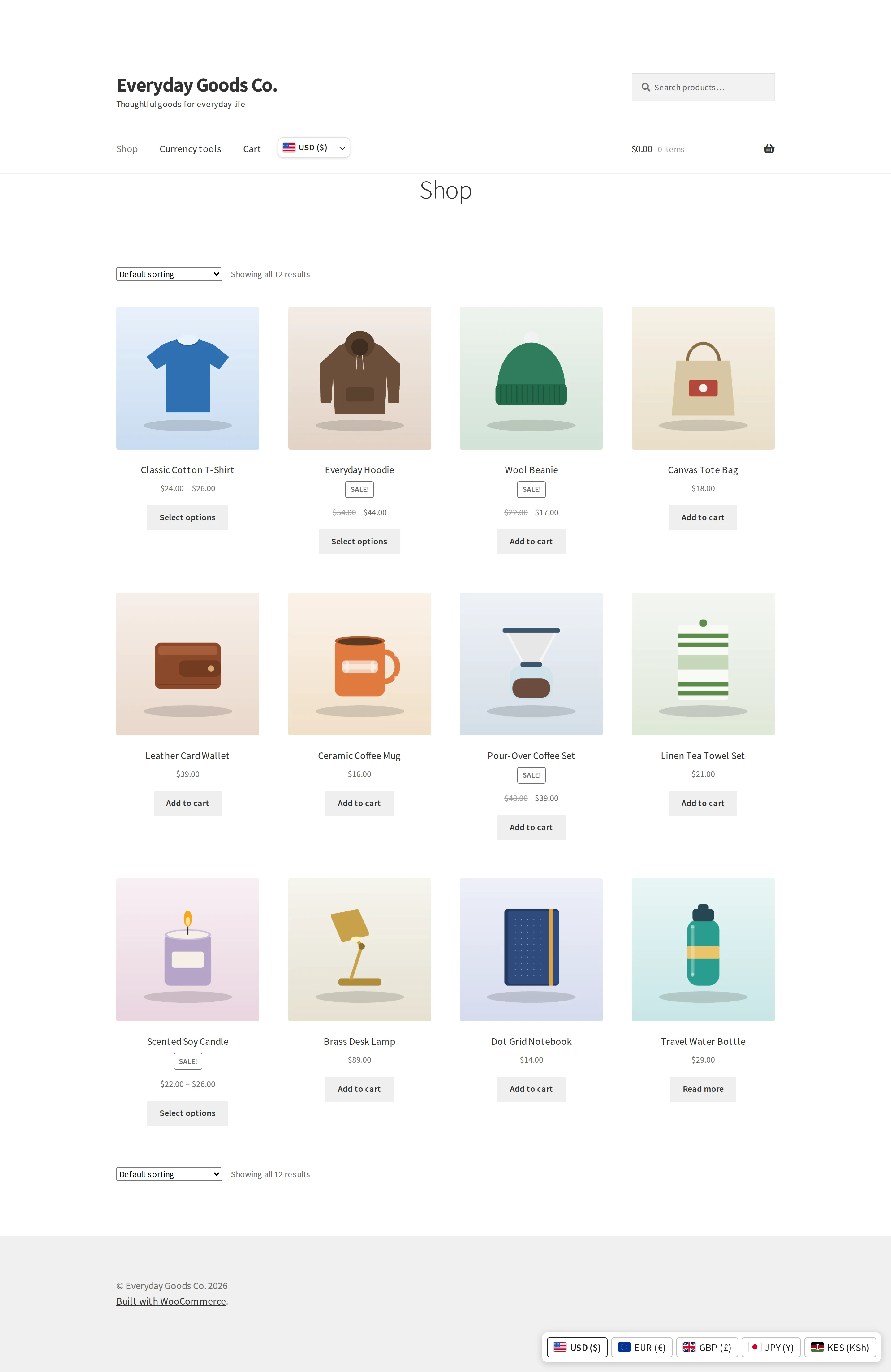
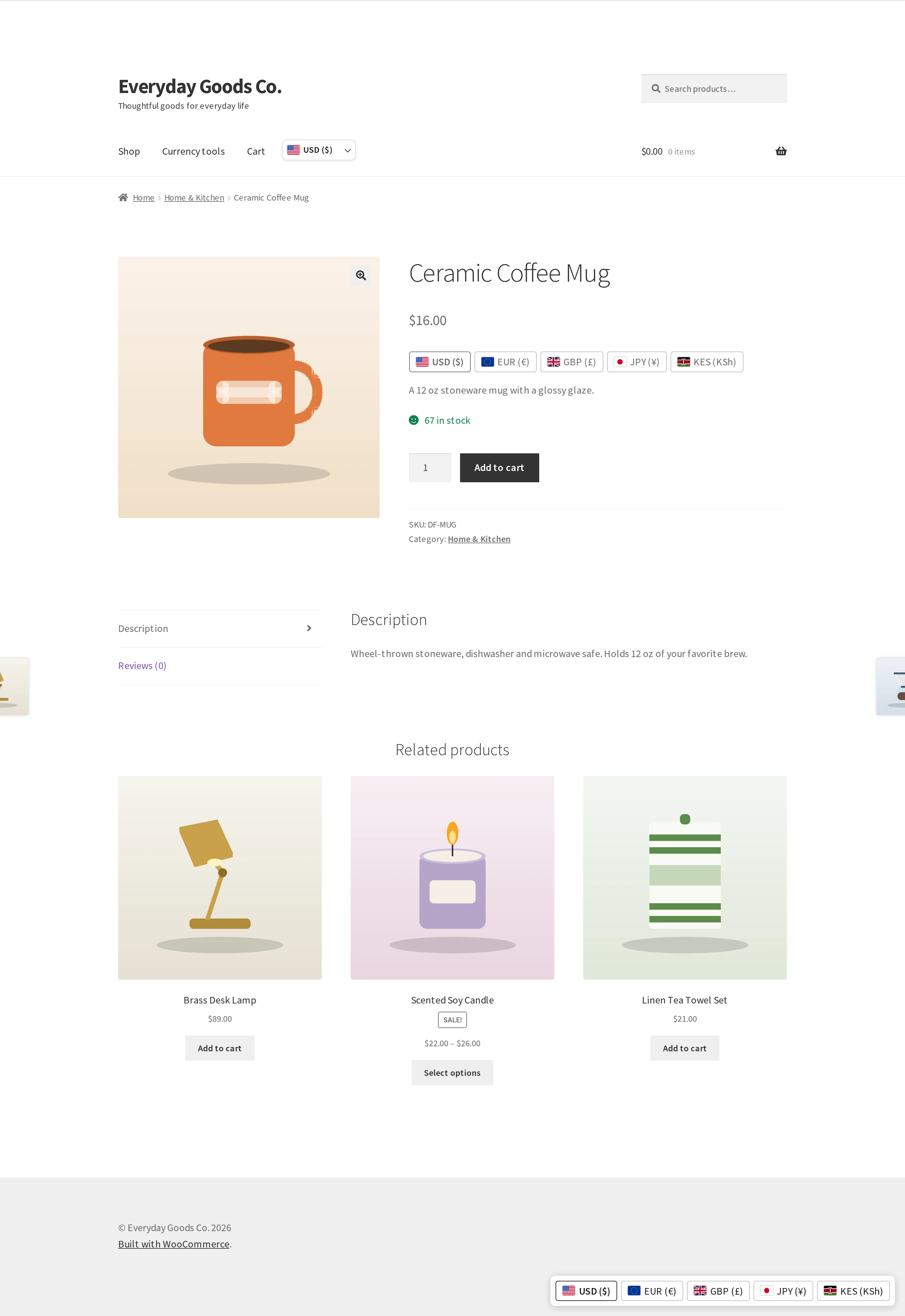
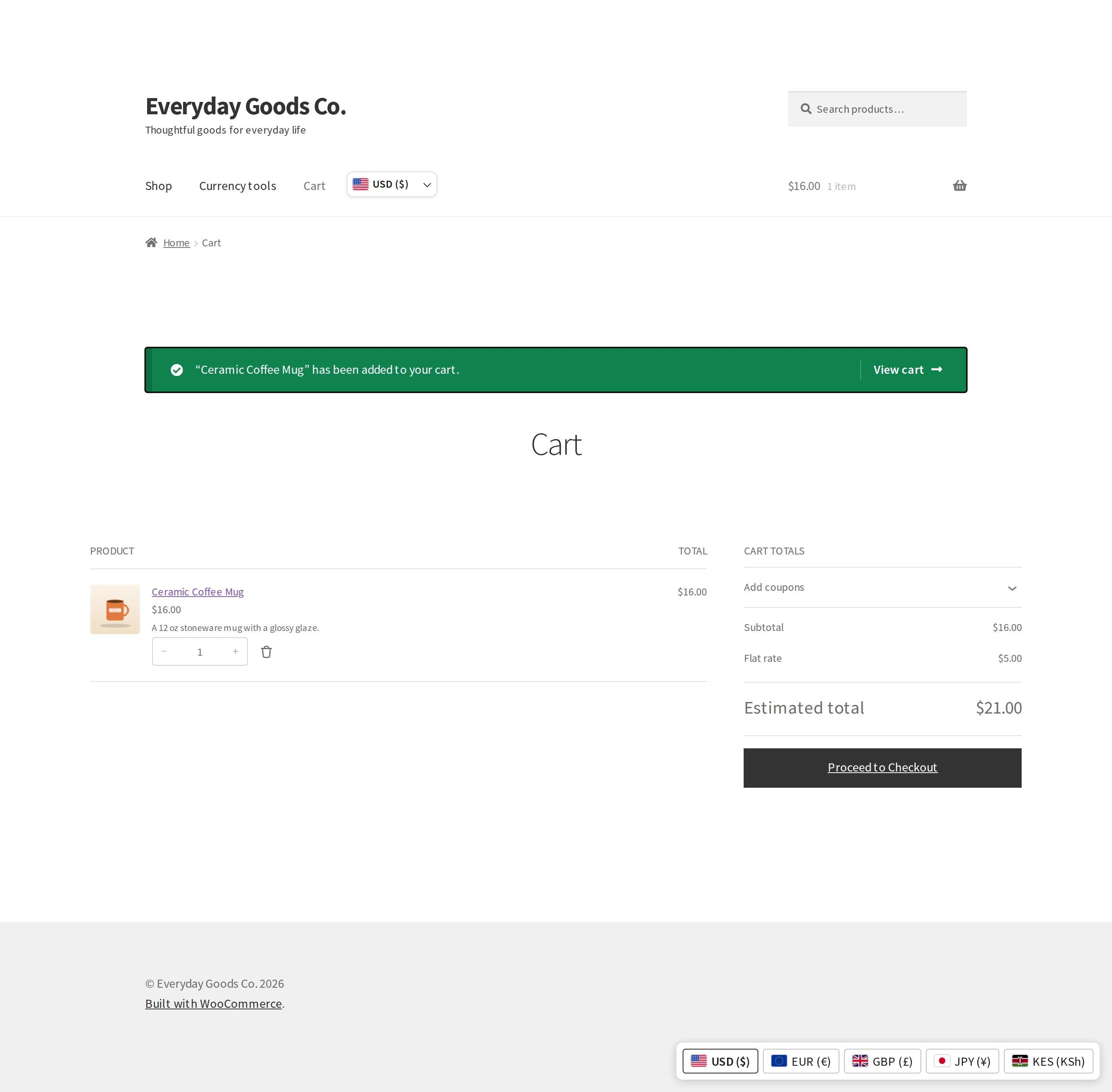
These pages show what visitors see on your site.
Frequently asked questions
Is there a limit on the number of currencies?
No. The free plugin supports every ISO 4217 currency and your own custom currencies, with no limit.
Do shoppers really pay in their currency?
Yes, by default. The order is created in the shopper's currency and the gateway is asked to charge in it. If you prefer, choose "Shoppers pay in your store currency" under Checkout and payments: prices are then shown as approximate and the order is charged in your store currency.
What happens when a payment method cannot take a currency?
Divisero hides that payment method for that currency. If you set a fallback currency, the method stays visible and the shopper is told before paying that the order will be charged in the fallback currency. You can override what Divisero knows about any gateway under Checkout and payments.
Does it work with my page cache or CDN?
Yes. Divisero detects the cache and picks the right mode by itself. For WP Rocket, W3 Total Cache and WP Super Cache, one button on the Cache tab (it says exactly what changes) makes the cache keep a copy per currency. For every other cache, CDN or host cache, prices are corrected in the browser right after the page loads, with no cache rule to add. Cart, checkout and My Account are never cached by these tools.
Where does geolocation get the country?
From the MaxMind database you set up in WooCommerce, Settings, Integration, or from the country header your CDN adds, such as Cloudflare's CF-IPCountry. No geolocation service is contacted.
Can I switch from another currency plugin?
Yes. Under Divisero, Tools, import the currencies, rates and country rules of FOX Currency Switcher (WOOCS), CURCY, Aelia, YayCurrency, WPML Multicurrency or Price Based on Country. Then deactivate the other plugin yourself; Divisero never switches plugins off.
Which plugins and themes were tested?
See the compatibility list on the Divisero product page. It lists only what was actually tested, with versions.
Is there a developer API?
Yes. Functions: divisero_get_active_currency(), divisero_get_default_currency(), divisero_get_base_currency(), divisero_get_enabled_currencies(), divisero_convert( $amount, $to, $from ), divisero_format_price( $amount, $currency ), divisero_get_rate( $currency ), divisero_switcher( $args ) and divisero_mark_product_converted( $product ). Filters include divisero_active_currency, divisero_currency_resolvers, divisero_convert_amount, divisero_rounded_amount, divisero_skip_conversion, divisero_product_fixed_price, divisero_gateway_supported_currencies, divisero_currency_from_country, divisero_cache_mode and divisero_switcher_html. Actions include divisero_currency_changed, divisero_rates_updated and divisero_order_currency_saved. WP-CLI: wp divisero currency list|add|update|delete, wp divisero rates list|update|set, wp divisero health and wp divisero import --from=.
Upgrade
Upgrade to Divisero Pro
- Fixed prices per product and currency, with a bulk editor and CSV
- Five more exchange rate services, hourly updates and a fallback
- Rate change alerts and rate history with a chart
- Currency rules by URL, customer, role and language
- SEO currency URLs with hreflang
- Sales by currency and an accounting export